
ZeusOpt includes a free desktop workflow for local image optimization. Connected WordPress workflows are unlocked through the ZeusOpt Bridge.

ZeusOpt
Private Beta
Lightning-Fast
Image Optimization
Engine
Compress, convert, and manage your entire media pipeline locally or directly on WordPress while your images are live... with zero broken links. .
zeus-worker ~ /engine
The Problems ZeusOpt Solves
Why we built a local optimization engine
Problem
Huge Image Libraries
Websites often contain hundreds or thousands of images that must be manually optimized before
uploading.
This process is slow, repetitive, and error-prone.
Solution
Local Optimization + Instant Upload
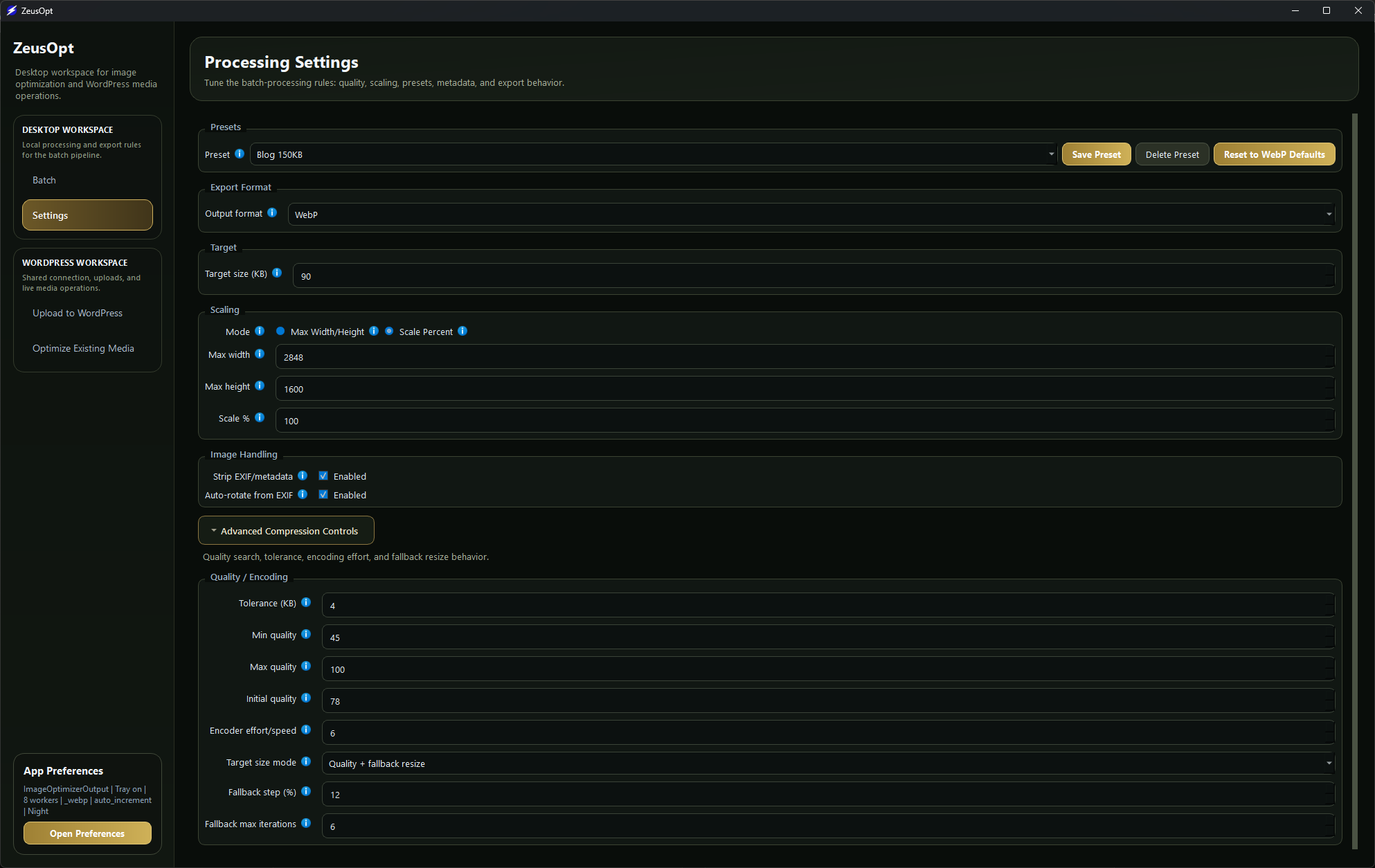
ZeusOpt processes images locally using your machine's full power.
Optimize entire folders in seconds
and upload the optimized files directly to WordPress.
Problem
Limited Server Resources
Running image optimization on a live server consumes CPU, memory, and storage.
On shared hosting this
can slow down your website or even break processes.
Solution
Use Your Local Power
ZeusOpt moves the heavy processing to your desktop.
Compress and convert images locally —
without stressing your server.
Problem
Already Uploaded Images
Many websites already have large media libraries filled with heavy images.
Replacing them manually can
break paths, posts, or product references.
Solution
Live Instant Optimization
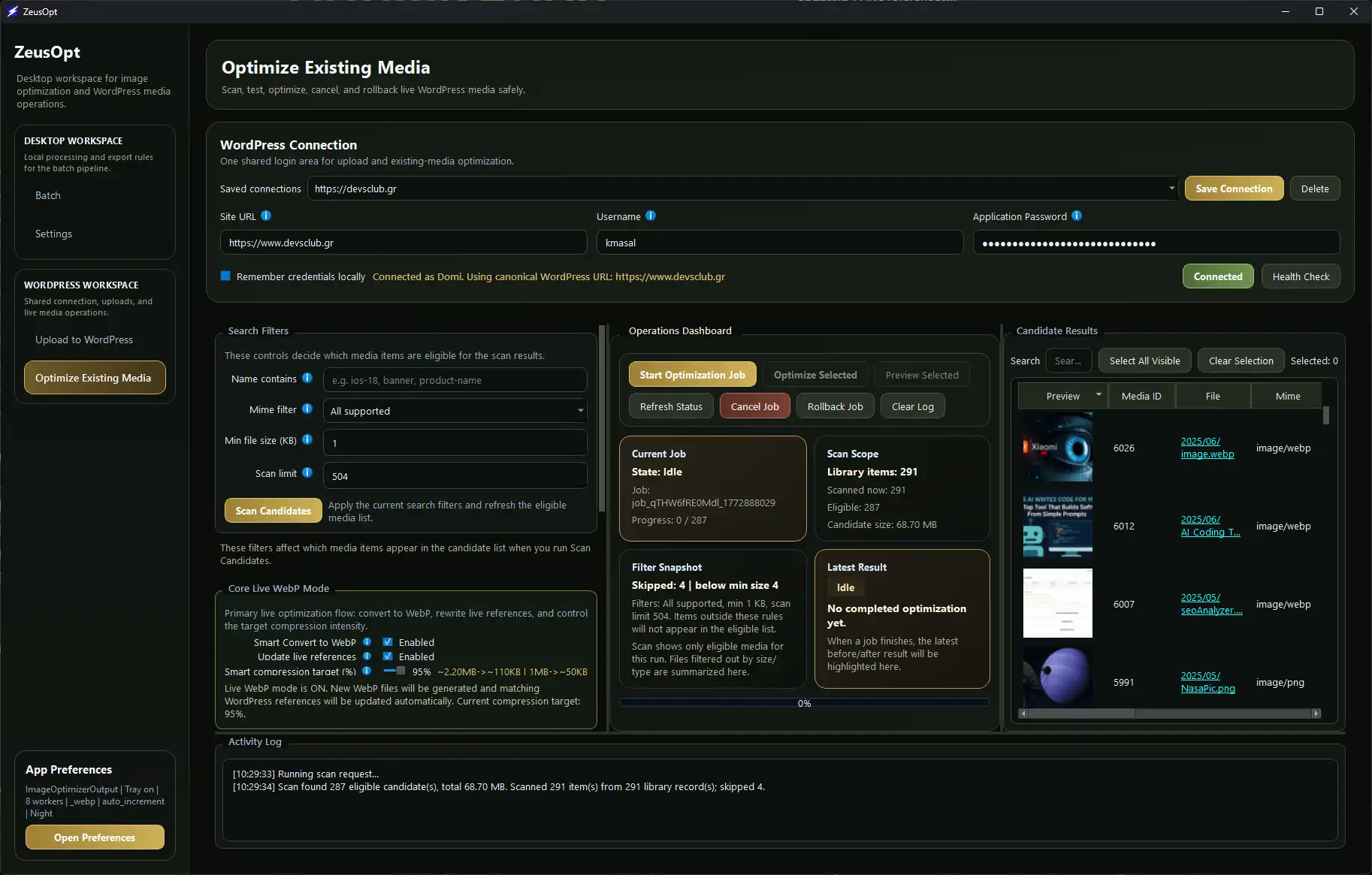
ZeusOpt connects directly to WordPress, optimizes images already in your media library, and safely updates all live references automatically.
 This Is the Real Power of ZeusOpt
Shrink your WordPress images while they’re live... with zero broken links.
How ZeusOpt Connects Securely to WordPress
ZeusOpt connects to WordPress through the ZeusOpt Bridge using WordPress Application Passwords, not the user's real login password. This keeps live operations secure, admin-controlled, and easy to revoke at any time. With a valid authenticated connection, ZeusOpt can safely handle uploads, live optimization, media inspection, cleanup, rollback, and reference updates without exposing core account credentials.
Instant Media Actions Inside WordPress
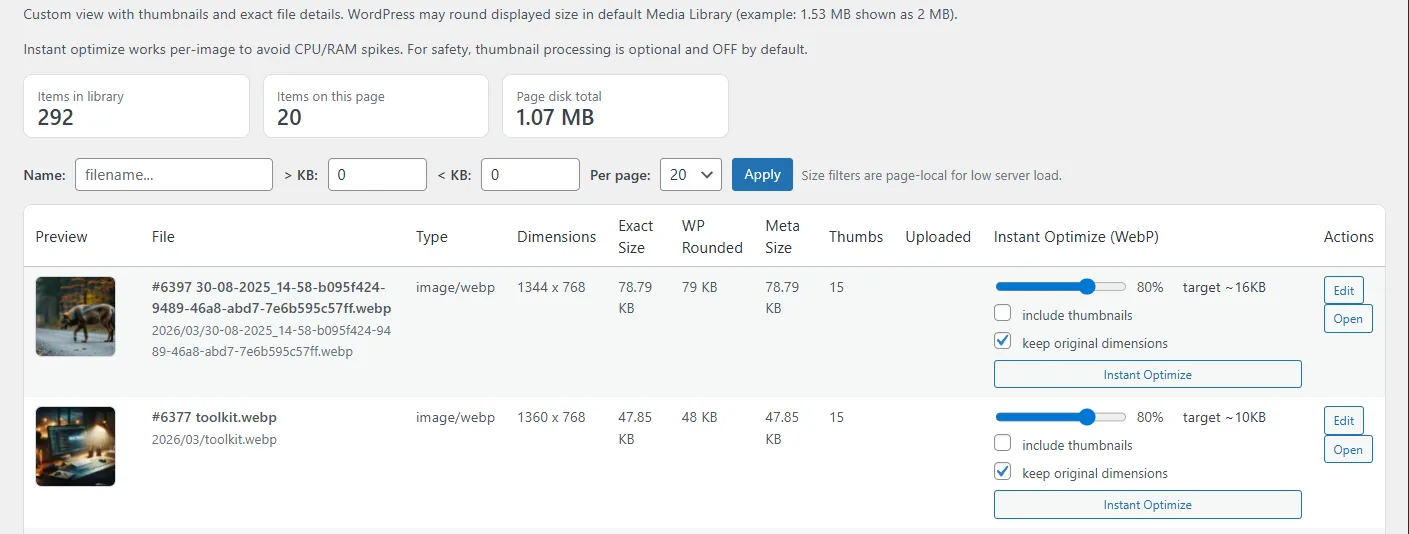
Beyond secure connectivity, the ZeusOpt Bridge also adds fast in-dashboard tools directly inside WordPress, including instant per-image optimization, quick previews, exact file details, and lightweight media actions for faster day-to-day control without launching a full optimization workflow.
Powerful Engine Features
Built for speed, safety, and massive scale.
Smart WebP Conversion
Automatically convert JPG and PNG images into ultra-light WebP formats while preserving visual quality and transparency. Perfect for modern, performance-focused websites.
Live WordPress Optimization
Connect directly to your WordPress site and optimize existing media files without breaking URLs or references. ZeusOpt automatically updates every path safely.
Safe & Rollback Aware
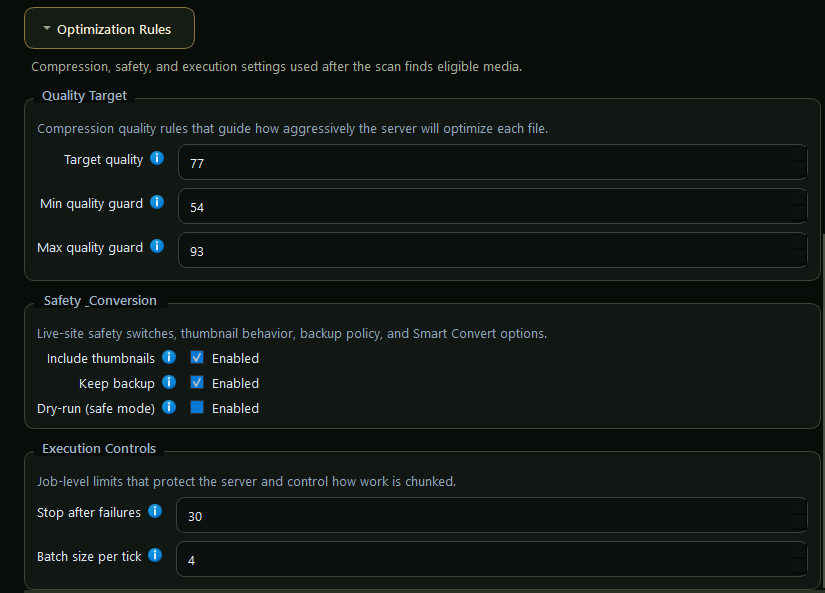
Every operation is protected with backups and dry-run modes.Preview changes, test optimizations, and roll back instantly if needed.
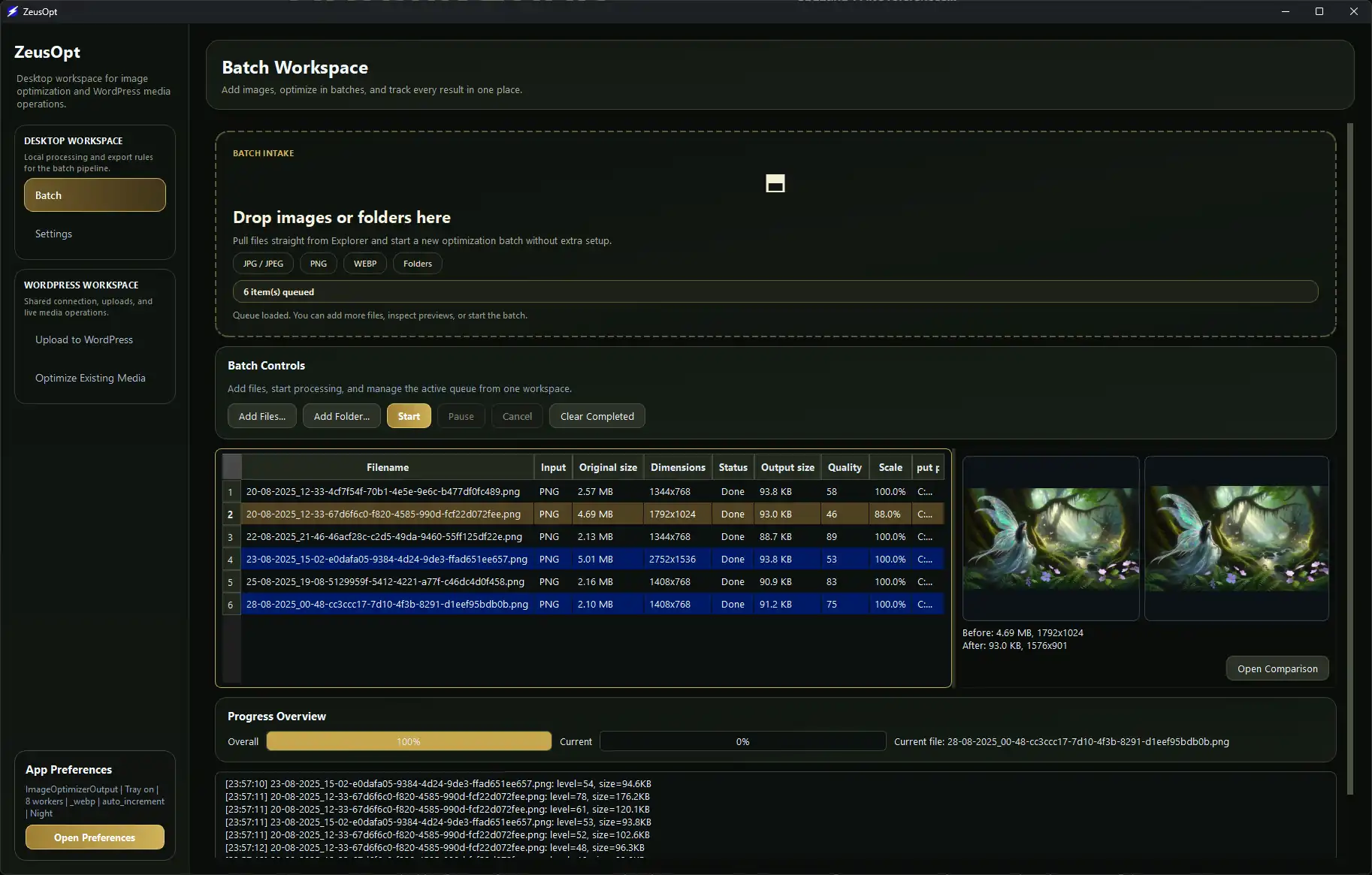
High-Speed Batch Processing
Drop entire folders and let the engine handle the rest.ZeusOpt compresses hundreds of images simultaneously using a multi-worker pipeline.
See it in action
Real workflow demonstrations from the engine.
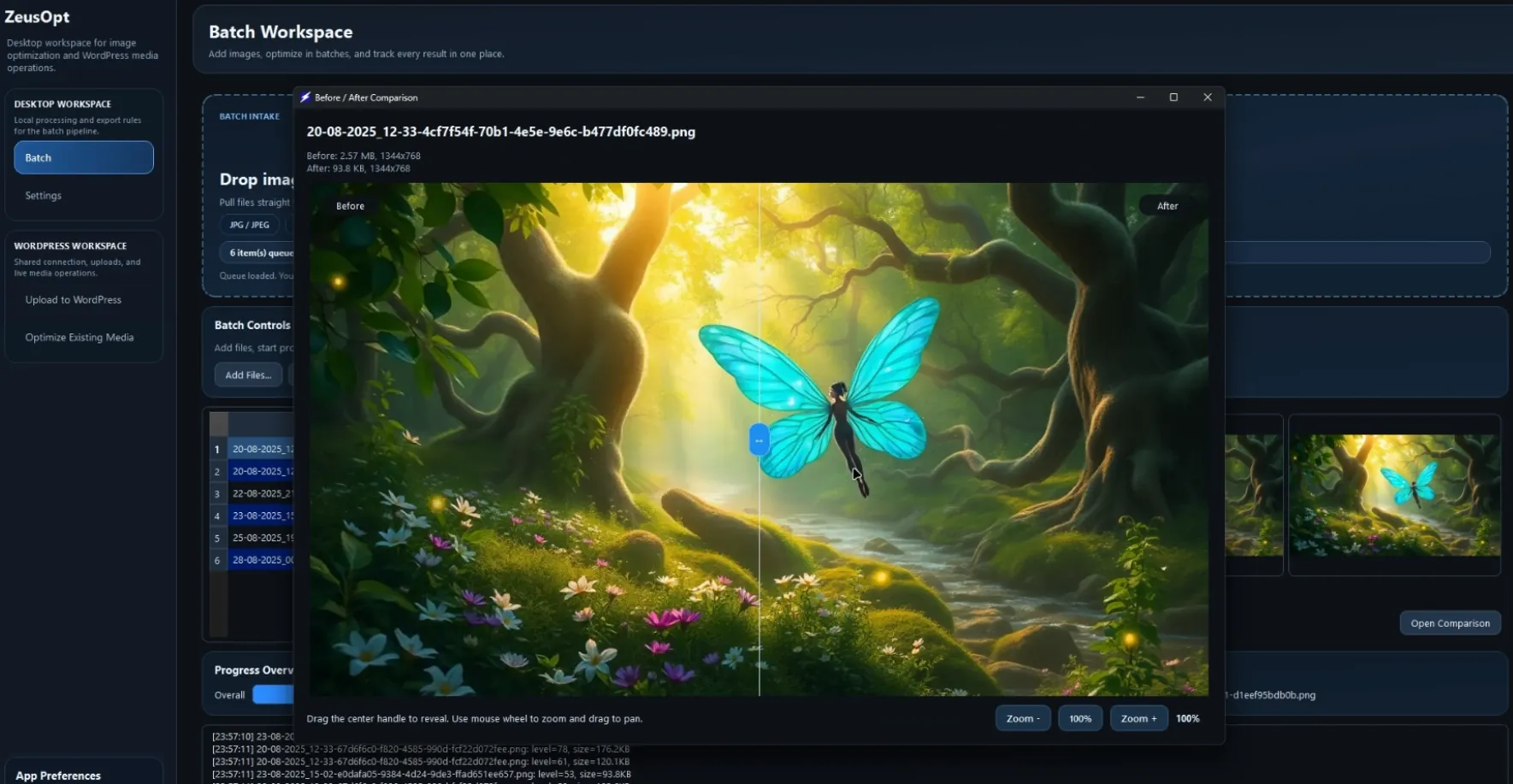
Batch Converting Entire Folders
Watch the desktop app ingest heavy media folders and output optimized WebP files in seconds.
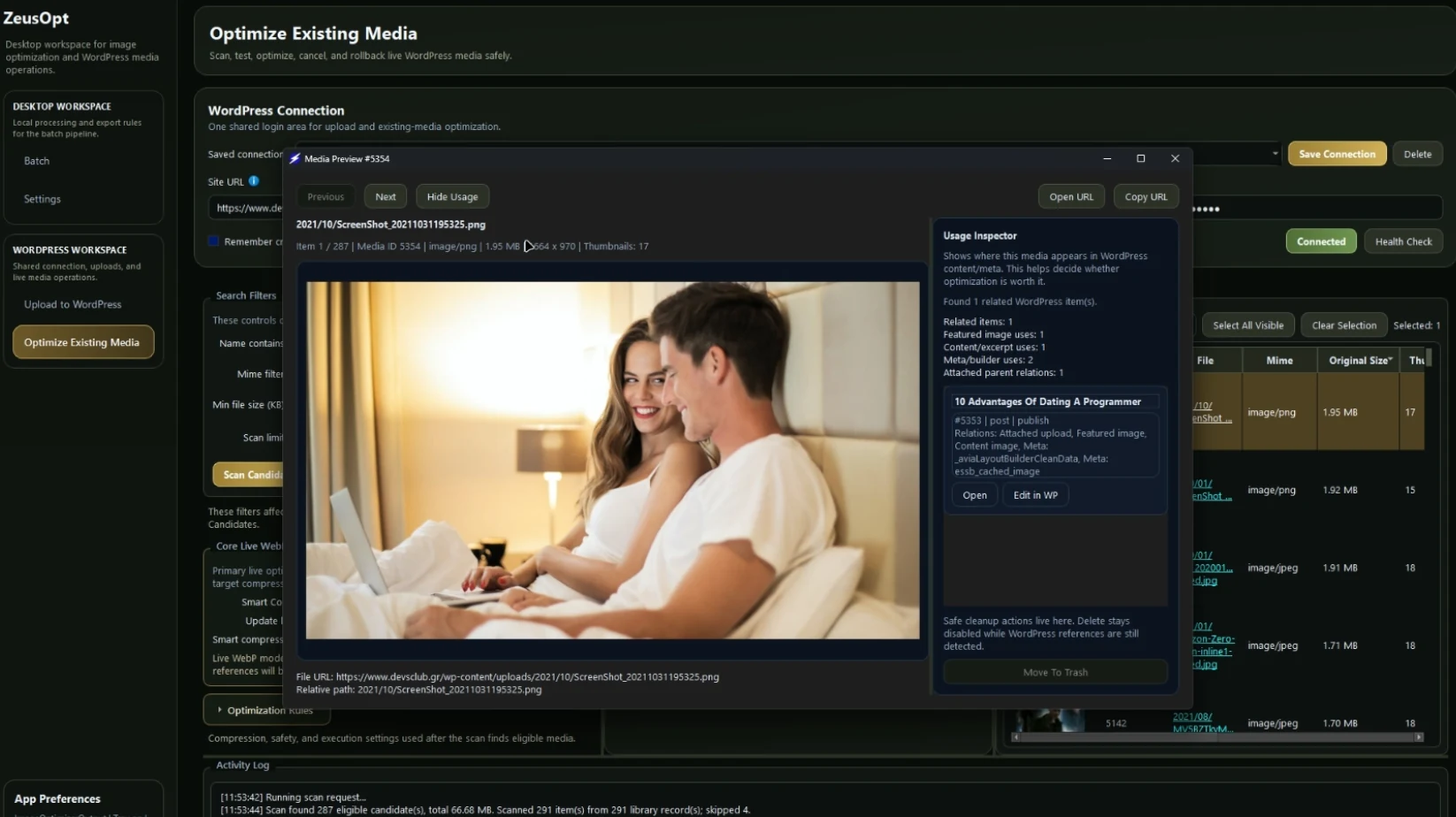
Live WordPress Optimization
See the engine connect securely to a live site, compress an image, and dynamically update all matching paths.
Frequently Asked Questions
Clear answers for safety, pricing, WordPress workflows, and how ZeusOpt fits into real production use.
Quick answers before you dive in
ZeusOpt is designed to be simple on the surface and powerful underneath. These are the six questions most users ask first.
View Full FAQYes. ZeusOpt is built with safety-first controls such as backups, rollback-aware workflows, preview checks, and controlled live reference updates.
No. ZeusOpt connects through WordPress Application Passwords, so the main account password is never used in the workflow.
Yes. ZeusOpt can optimize existing WordPress media and safely update matching live references when needed.
No. ZeusOpt is designed to preserve working media paths through controlled rewrite logic and rollback-aware handling.
Only for WordPress-connected workflows. Local desktop optimization can still be used independently.
×
![]()
×